How to Delete Your Lingua Verbum Account
A quick guide to permanently deleting your Lingua Verbum account from web or mobile.
We’re always sad to see learners leave, but we understand that sometimes you need to step away. Whether you’re taking a break or closing out an unused account, we’ve made it simple to delete your Lingua Verbum account — from both the web and mobile app.
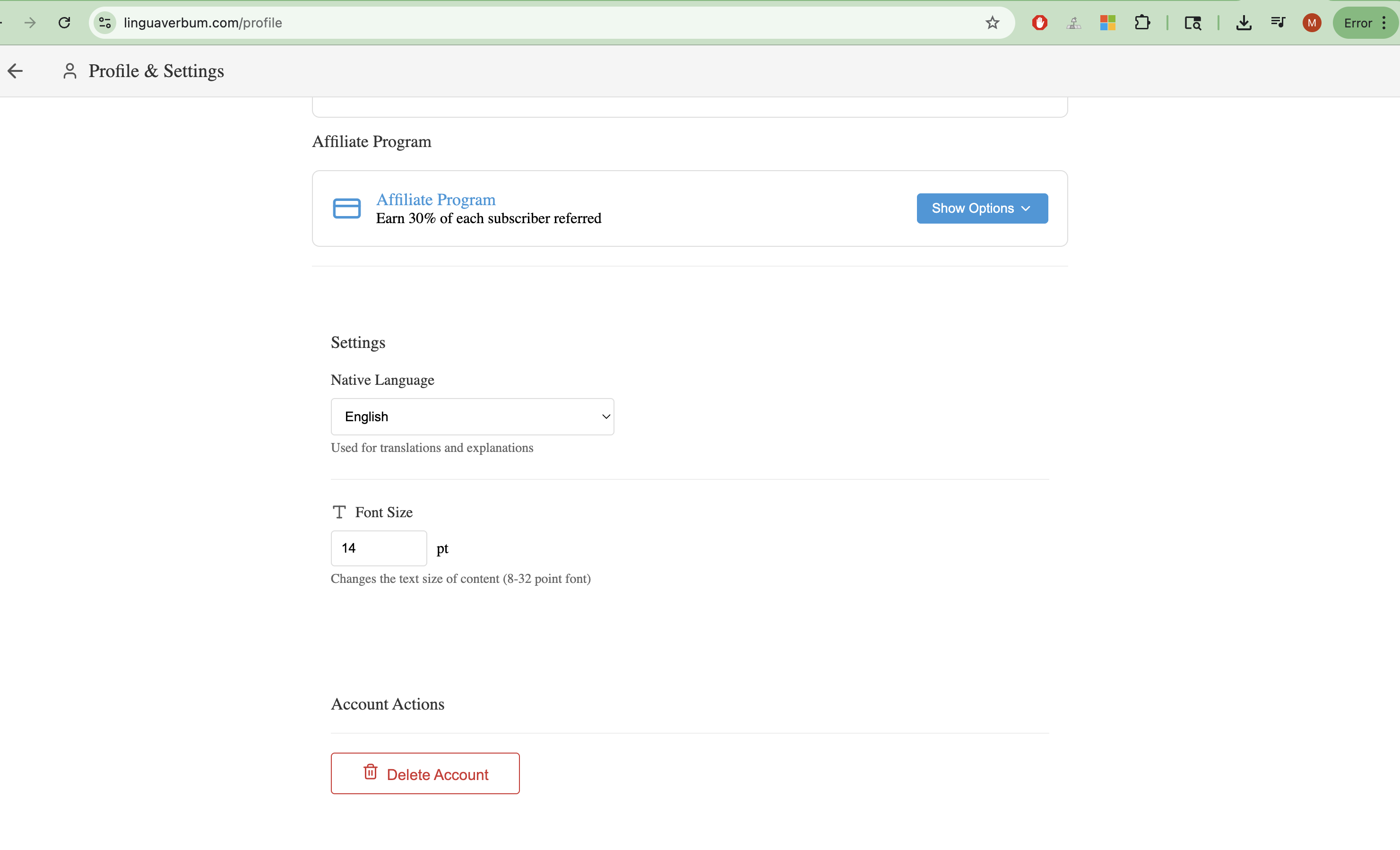
From the Web
To delete your account using a browser:
- Go to linguaverbum.com/profile
- Scroll all the way to the bottom of the page.
- Click the red Delete Account button.
This will permanently remove your account and all associated data.
From the Mobile App
If you’re using the iOS or Android app:
- Tap the Profile tab in the bottom navigation bar.
- Scroll to the very bottom of the Profile screen.
- Tap Delete Account (the button with a trash icon).
Just like on web, this will delete your data and remove your account from our system.
What Happens Next?
Once you confirm the deletion, your progress, saved content, and credits will be permanently erased. This action cannot be undone — so please make sure it’s what you want before confirming.
Of course, if you ever decide to return, we’ll be here to welcome you back with new features and an ever-expanding collection of native content to learn from.
Need Help?
If you run into any issues or have second thoughts, reach out to our support team at [email protected]. We’re happy to help.
Thank you for being a part of the Lingua Verbum community.
— The Lingua Verbum Team